In your browser.
Try ideas against a backing loop.
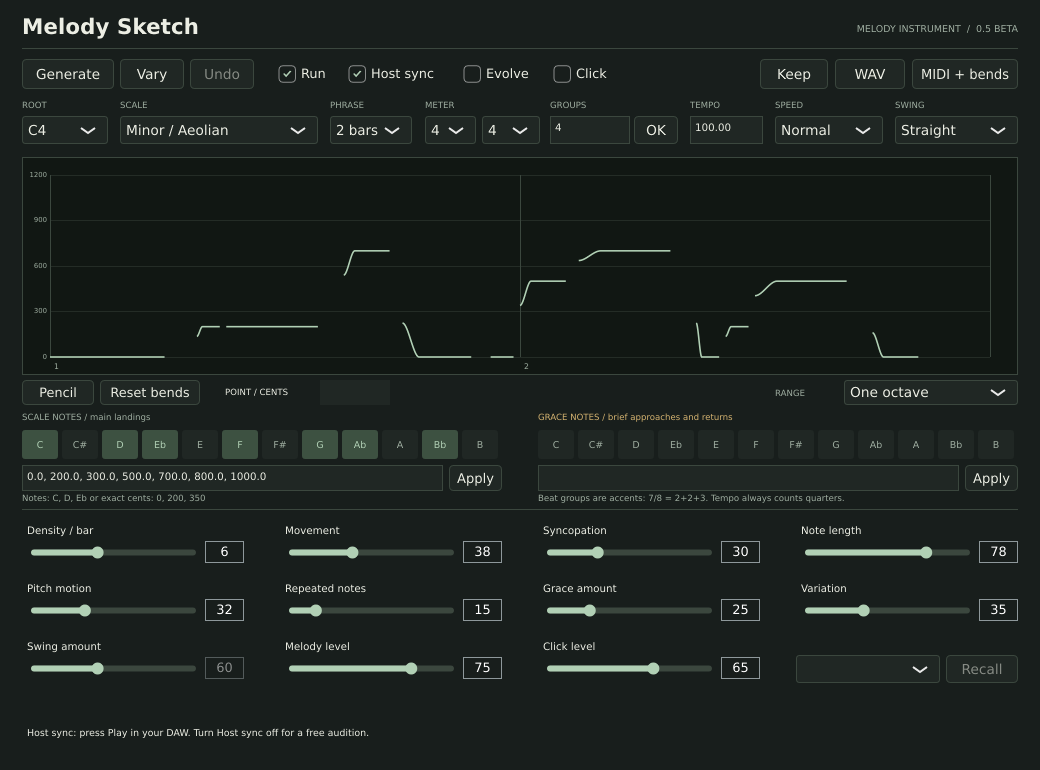
Open Melody Sketch ↗Generate a phrase. Shape the notes, bends and rhythm. Keep what works.
Try in browser ↗Download for Mac ↓Audio starts when you press Listen.
Set a scale or custom pitches in cents. Give grace notes their own pool.
Generate, vary, or draw a bend. Adjust repetition, swing, meter and speed.
Save ideas. Export the sine melody as WAV, or the notes and bends as MIDI.
Try ideas against a backing loop.
Open Melody Sketch ↗AU · VST3 · standalone
Apple silicon & Intel
Beta: automated Mac checks passed. Hands-on Logic Pro and Ableton Live testing is pending.
Built for macOS 11+. Automated installation and plugin checks passed on macOS 15, on both Mac architectures. Older macOS versions remain unverified.
Missing from the list? Rescan it in Logic’s Plug-in Manager.
MIDI export is a file; this beta does not send live MIDI to another instrument.
Close your DAW. Remove Melody Sketch.app from /Applications, Melody Sketch.component from /Library/Audio/Plug-Ins/Components, and Melody Sketch.vst3 from /Library/Audio/Plug-Ins/VST3.
Melody is more than a sequence of notes. It is how they arrive, move and leave space.
Melody Sketch turns those choices into controls, so you can explore a phrase before you know what to call it.
Musical rules and a stored random seed choose timing, pitches, repetition and gestures from your settings. A sine oscillator follows each note’s pitch curve.
The graph, playback and export share one phrase model. Vary changes the phrase while protecting hand-edited curves. Generation runs locally.
A scale alone does not define a raga or maqam. Phrase grammar, tuning, ornament and performance matter too.
This beta offers parameters for exploration. It does not claim to reproduce every tradition authentically.
Check Melody level and your audio output. In the browser, press Play directly. In the plugin, enable Run. With Host sync on, your DAW must also be playing; switch it off to audition independently.
They place accents within the meter. In 7/8, 2+2+3 means “ONE-two, ONE-two, ONE-two-three.” Groups must add up to the numerator. Tempo counts quarter notes.
One melody cycle, including bends, microtones, edits, swing, speed and current melody level. It excludes the click, backing loop and DAW effects. Tempo and level are captured when you export; changing automation is not recorded.
Use a monophonic instrument with a ±24-semitone pitch-bend range. Keep notes and bends on the same channel. Instruments can interpret bends differently; use WAV for the exact sine sound.
Not in this beta. Set the root and notes yourself.
The browser stores up to 20 ideas locally. Clearing site data removes them. Backing audio stays on your device. Native ideas are stored in your DAW session; save it and export important ideas.
No analytics or account system is added to the site. Hosting may retain standard request logs.
Include your system and DAW/browser version, settings and steps to reproduce the problem.
Reports are public and require a GitHub account. Leave out private project files.